 NEW
NEWSave hours every quarter with IFTA Calculator
Your ELD tracks miles by state automatically. Add your fuel purchases and get your IFTA calculations in one place, using current quarterly tax rates.
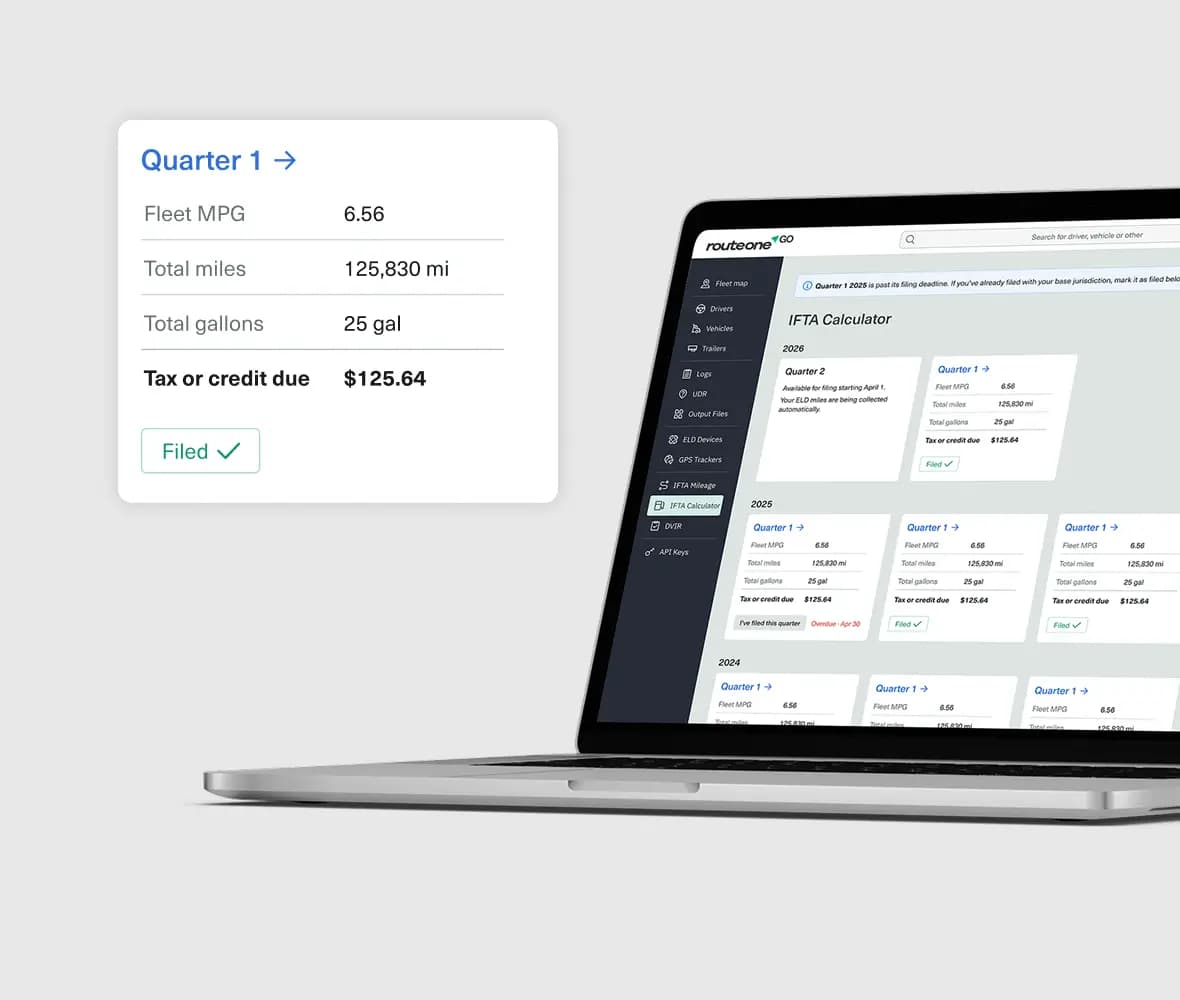






Stop doing IFTA by hand
Leave the IFTA spreadsheets behind
Spreadsheets
- Miles by state
- Added up by hand
- Fuel purchases
- Typed in one by one
- Tax rates
- Looked up every quarter
- Tax math
- Formulas you've created
- Changes
- Hard to track
Hours/quarter
IFTA Calculator
- Miles by state
- Automatic from your ELD
- Fuel purchases
- Add or upload a CSV
- Tax rates
- Updated quarterly
- Tax math
- Calculated for you
- Changes
- Tracked in one place
Included/ELD Basic
VIEW ELD OPTIONSWhat you get
Miles, fuel and taxes in one place.
Miles by State
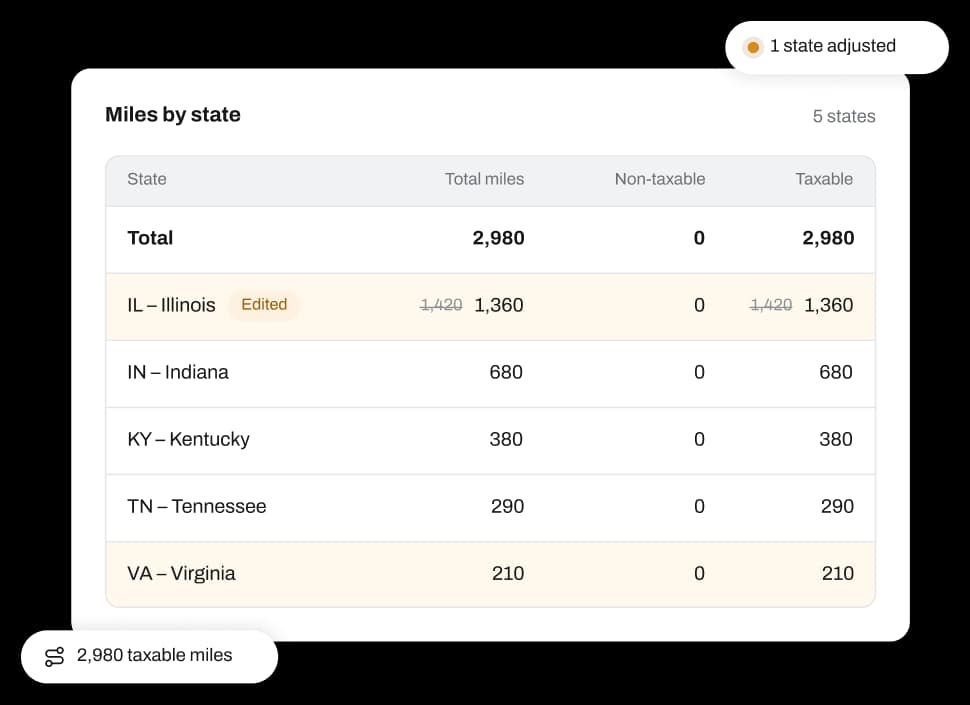
Miles by state, done for you
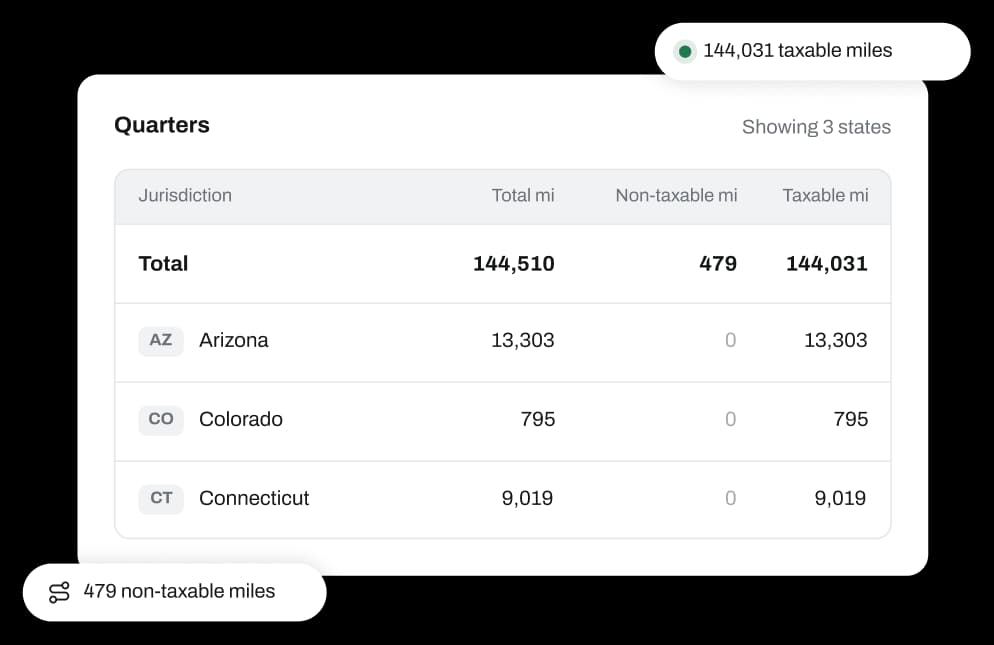
Your ELD automatically tracks miles by state, so there's no need to add up trip sheets at the end of the quarter. Need to make a correction? Update or add mileage and keep a record of the change.
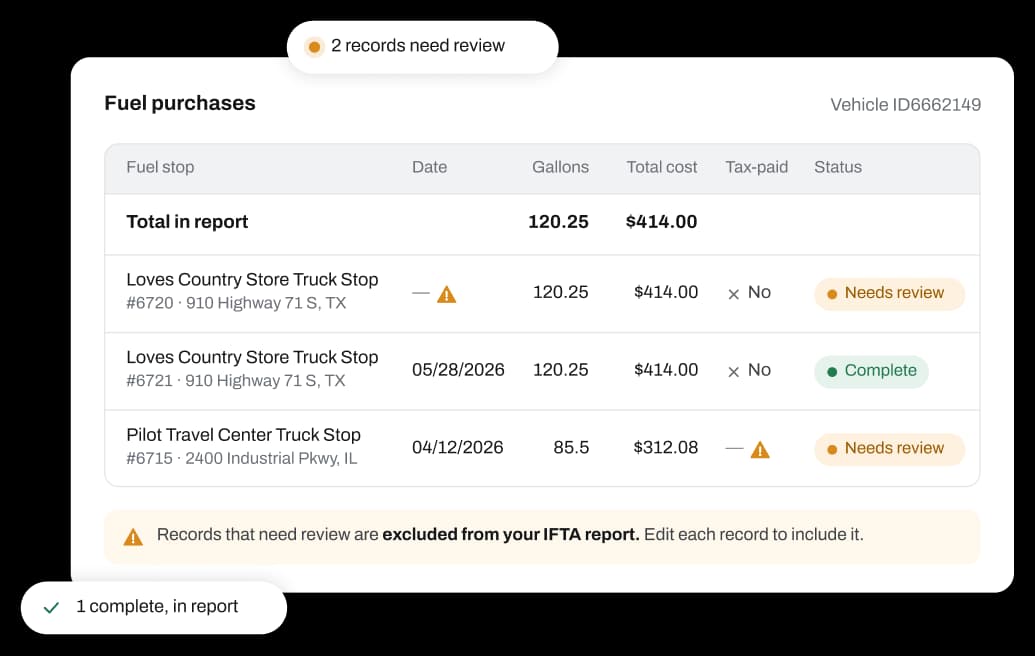
Add fuel without the headache
Add diesel purchases individually or upload the entire quarter using our CSV template. Your fuel data is combined with your mileage and quarterly IFTA tax rates for calculation.
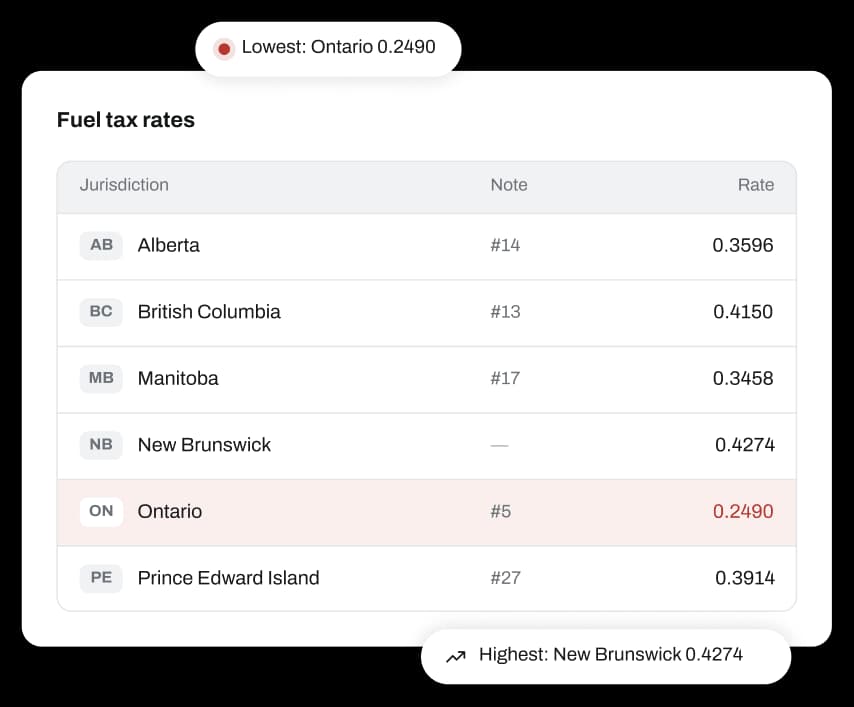
See your calculated IFTA tax by State
Review your calculated IFTA amounts by jurisdiction before you file. Check mileage, fuel and tax rates, then use the report as a reference when preparing your return.
Every quarter, organized
Keep each reporting quarter organized in one place. Review mileage, fuel, calculations and previous changes whenever you need them.
Choose your plan
How does it work?

Choose your ELD plan
You have a compatible device? Start Basic. Need one? Get the ELD Bundle.

Connect and drive
Your ELD tracks mileage by jurisdiction automatically.

Add fuel and calculate
Add your diesel purchases and review your quarterly IFTA calculations.